
 Farid
Farid
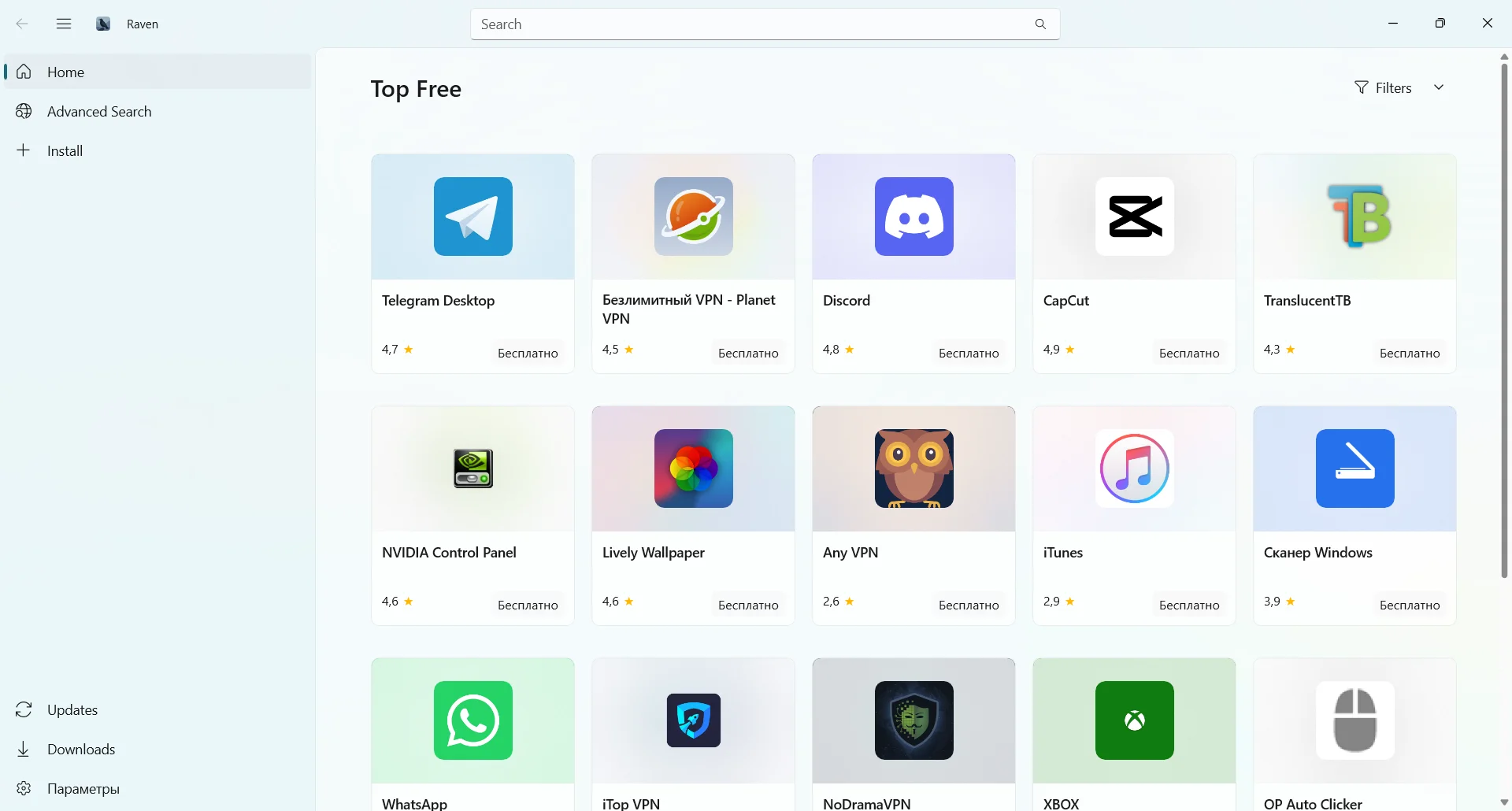
Version of the program: 1.1.0.0
Interface language: English, English and others
Treatment: no required
System requirements:
Windows 10 version 2004, build 19041 and above
. NET 10
https://dotnet.microsoft.com/en-us/download/dotnet/10.0
Windows App SDK
https://learn.microsoft.com/en-us/windows/apps/windows-app-sdk/downloads#windows-app-sdk
Ability to install at Raven start
Description:
Raven is a modern native application for Windows, which serves as a full-fledged alternative to the Microsoft Store. It can do all the same thing as the official store – search, download, install and update applications – and add powerful capabilities such as installing external UWP/MSIX packets, exporting applications from the store for offline use, and economical delta files downloading. Created based on WinUI 3 and . NET 10 Raven offers a clean, user-friendly interface that works great in Windows 10 and 11. Additional information:Search and viewing
Search in the store – search in the Microsoft Store directory directly from the header string with real-time auto-udutory (including application icons and names).
Advanced search – filtering and searching for applications with more detailed control over results.
Detailed information about the application – full pages with a detailed description of the application, screenshots, information about the version and a list of dependencies.
Selection of region and language – view the store as it is displayed in any combination of region and language.
Loading and export
Download applications from the store – download any application packages directly from Microsoft CDN for offline or archiving.
Delta-boot – save traffic thanks to intelligent delta-down at the block level. By comparing BlockMap, only the modified blocks are loaded, which significantly reduces the size of the downloadable updates.
Package export – downloading .appx, .mix, .appxbundle, and .mixbundle for external use, backup or distribution to other computers.
Download Manager – a full-fledged queue of downloads with progress tracking, pause / renewal function and animation of status.
Installation and download from third-party sources
Installing applications from the store – install uploaded packages directly, as in the Microsoft Store.
Install external packages – install .appx files from anywhere .msix, .appxbundle .demxbundle not only from the store. Drag & Drop Your Files or Use the Search Engine to Select the Right Ones.
Dependency resolution is the automatic detection and installation of the necessary dependencies of the framework.
Compulsory Installation is an option for forced reinstalling or downgrades of packets if a newer version is already installed.
Updates
Update checks – scans all installed apps signed by the app store and compares them with the latest available versions.
Delta Updates – Differential updates are used at the block level to minimize the size of the downloaded files.
Package and individual updates – update all applications at the same time or choose which ones.
Comparison of versions – intelligently determines the latest available version for each architecture and assembly of the OS.
Main
Deploying without a package – works as an autonomous application .exe that does not require MSIX packaging or Windows application installer.
Maintenance of design topics is a light, dark and standard system theme with smooth switching.
Structured logging – individual log files for events during execution, installations and failures with Serilog.
Readiness for localization – User interface strings use a resource-based localization system ( x:Uid).
Check for updates – checks GitHub for newer versions of Raven.
————————————*****————————————
💾 Raven 1.1.0 (88 MB)
📅 31-07-2026 | ⏰ 13:18 UTC
🔗RapidGator
https://rapidgator.net/file/f1d16a91910c9c0688c8a5a03cd7271c/Raven.1.1.0.rar
🔗NitroFlare
https://nitroflare.com/view/B8B36F61561D3D0/Raven.1.1.0.rar?referrer=1635666


